Managing VAT is an important responsibility for VAT-registered ecommerce businesses in the UK. Whether you sell through Shopify, Amazon, eBay, Etsy or your own online store, keeping accurate VAT records and submitting returns on time is essential for maintaining compliance with HMRC.
However, ecommerce VAT accounting can become complicated when your business operates across multiple sales channels, accepts international payments or processes frequent refunds. Different VAT treatments, marketplace fees and payment processing charges can make it difficult to calculate the correct VAT liability.
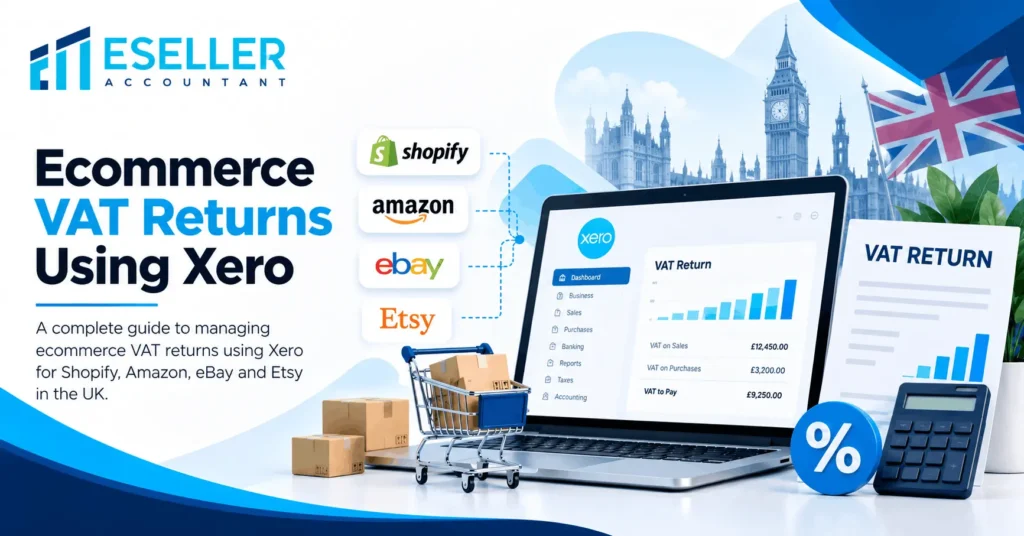
Ecommerce VAT Returns Using Xero can help simplify this process by bringing sales records, purchase transactions and VAT reporting into one cloud accounting system.
With the right setup, Xero allows ecommerce businesses to monitor VAT transactions, reconcile accounts, prepare VAT returns and submit them digitally to HMRC through Making Tax Digital (MTD).
In this guide, we explain how ecommerce VAT returns work in Xero, common VAT challenges for online sellers and practical ways to maintain accurate records.
What Are Ecommerce VAT Returns?
An ecommerce VAT return is a report submitted to HMRC by a VAT-registered online business. It summarises the VAT charged on eligible sales and the VAT that can be reclaimed on qualifying business purchases during a specific accounting period.
VAT returns generally include:
- Output VAT charged on taxable sales.
- Input VAT incurred on eligible business expenses.
- Total sales and purchases excluding VAT, as required by the return.
- VAT adjustments and corrections where applicable.
- The final amount of VAT payable to HMRC or recoverable from HMRC.
For many UK ecommerce businesses, VAT returns are submitted quarterly, although monthly and annual accounting arrangements may apply in certain circumstances.
Online sellers must consider VAT treatment across different products, customer locations and selling platforms. For example, a UK domestic sale may be treated differently from an export or a sale facilitated by an online marketplace.
Using Xero for ecommerce VAT returns helps businesses organise these transactions and prepare reports based on the VAT information recorded in their accounting system.
Why Ecommerce VAT Accounting Can Be Complicated
Ecommerce businesses often process a much larger number of transactions than traditional service-based businesses. A single online store may generate hundreds or thousands of orders each month, with payments collected through several different platforms.
This creates additional challenges when preparing VAT returns.
Multiple Ecommerce Sales Channels
Businesses selling through Amazon, Shopify, eBay and Etsy may receive separate sales reports from each platform.
Each marketplace can have different reporting formats, fee structures and payment settlement arrangements.
Without an organised accounting process, sales may be duplicated, missed or recorded incorrectly.
Different VAT Rates
UK ecommerce businesses may sell products subject to standard-rated, reduced-rated, zero-rated or exempt VAT treatment.
Applying the wrong VAT rate can result in inaccurate VAT returns and potential compliance issues.
Marketplace Fees and Deductions
Online marketplaces frequently deduct selling fees, fulfilment charges, advertising costs and other expenses before transferring the remaining balance to the seller.
Recording only the amount deposited into the bank can understate sales revenue and lead to incorrect VAT calculations.
International Ecommerce Sales
Cross-border ecommerce transactions may involve exports, imports, overseas VAT registrations, customs documentation and marketplace-specific VAT responsibilities.
The correct treatment depends on factors such as the destination country, customer type, goods location and transaction structure.
Refunds and Returns
Customer refunds, cancelled orders and returned products can affect VAT reporting.
These adjustments must be recorded correctly to prevent VAT from being overstated or understated.
A properly configured Xero accounting system can help businesses manage these challenges through accurate transaction records, VAT codes and regular reconciliation.
How Xero Helps Manage Ecommerce VAT Returns
Xero is cloud-based accounting software that supports UK VAT reporting and digital submission to HMRC.
For ecommerce businesses, it provides a central place to manage financial information and prepare VAT returns using the transactions recorded in the accounting system.
1. VAT Tracking and Calculation
Xero calculates VAT based on the tax rates assigned to transactions.
When sales invoices, purchase bills or other accounting entries are recorded with the appropriate VAT codes, the system uses that information to prepare VAT reports.
This reduces the need to calculate VAT manually across individual transactions.
However, Xero does not independently determine whether every transaction has been assigned the correct VAT treatment. Businesses must ensure that their tax settings and transaction classifications are accurate.
2. Making Tax Digital Support
Making Tax Digital requires most UK VAT-registered businesses to maintain digital VAT records and submit returns using compatible software.
Xero supports MTD for VAT, allowing eligible businesses to connect their accounting records with HMRC and submit VAT returns digitally.
This can reduce manual reporting work and provide a more organised submission process.
3. Bank Reconciliation
Xero bank reconciliation helps match bank transactions with accounting entries.
For ecommerce businesses, reconciliation is especially important because marketplace settlements often differ from gross sales amounts.
Accurate reconciliation helps identify missing payments, unrecorded fees and transaction discrepancies before VAT returns are submitted.
4. Ecommerce Integration
Xero can work with ecommerce platforms through supported integrations and third-party accounting applications.
Depending on the integration, businesses may be able to transfer sales summaries, fees, refunds and other transaction information into Xero.
This helps reduce repetitive manual data entry and supports more consistent ecommerce bookkeeping.
5. VAT Reports and Financial Visibility
Xero provides VAT-related reports that help businesses review the transactions contributing to their VAT return.
These reports can support checks of sales VAT, purchase VAT, adjustments and overall VAT liability.
Regular reporting also helps ecommerce businesses understand how VAT affects cash flow and financial planning.
Understanding UK VAT Rates for Ecommerce Businesses
Before preparing ecommerce VAT returns using Xero, businesses must understand which VAT rates apply to their products and services.
The UK has three main VAT rates:
| VAT Rate | Percentage | General Application |
| Standard Rate | 20% | Most taxable goods and services |
| Reduced Rate | 5% | Certain qualifying goods and services |
| Zero Rate | 0% | Certain qualifying goods, including some food products and children’s clothing |
Some supplies are exempt from VAT or outside the scope of UK VAT. These are not the same as zero-rated supplies and may require different reporting treatment.
For example, an online clothing retailer might sell standard-rated adult clothing alongside zero-rated qualifying children’s clothing.
Each product category must be assigned the correct VAT treatment in Xero to produce reliable reports.
Businesses should review HMRC guidance when determining VAT rates, particularly for mixed-product stores or international transactions.
How to Set Up Xero for Ecommerce VAT Returns
Correct Xero configuration is essential for accurate ecommerce VAT reporting.
An incorrect setup can affect sales records, purchase transactions and VAT calculations throughout the accounting period.
Step 1: Configure Your Business VAT Details
Start by checking your organisation’s financial settings in Xero.
Ensure that your VAT registration number, VAT scheme, reporting period and relevant accounting settings are correct.
Businesses using the VAT Cash Accounting Scheme or Flat Rate Scheme may need different configurations from those using standard VAT accounting.
Step 2: Review VAT Tax Rates
Check the available VAT tax rates and confirm that they match your business activities.
For example, your accounting records may need to distinguish between domestic standard-rated sales, zero-rated exports, exempt transactions and overseas purchases.
Avoid applying one VAT code to every ecommerce transaction without checking its treatment.
Step 3: Connect Ecommerce Sales Platforms
Where suitable, connect your ecommerce platforms using compatible integrations.
Popular platforms include:
- Shopify
- Amazon
- eBay
- Etsy
- WooCommerce
The integration should transfer the necessary sales and accounting information into Xero without creating duplicate entries.
Check whether it supports refunds, marketplace-collected VAT, transaction fees and international sales.
Step 4: Organise Your Chart of Accounts
Create a suitable chart of accounts to distinguish between different income and expense categories.
For example, ecommerce businesses may need separate accounts for marketplace sales, payment processing fees, advertising expenses, shipping costs and refunds.
A structured chart of accounts supports clearer VAT reporting and more useful financial analysis.
Step 5: Connect Xero to HMRC
To submit MTD VAT returns, your business must authorise the connection between Xero and HMRC.
Xero’s VAT reporting setup allows authorised users to connect through the relevant Government Gateway credentials and grant permission for digital submissions.
Xero Central
Once connected, review the VAT return settings before preparing your first submission.
How to Prepare and Submit Ecommerce VAT Returns Using Xero
Preparing a VAT return involves more than generating a report. Businesses must first ensure that their accounting records are complete and accurate.
The following process can help ecommerce sellers manage their VAT obligations.
Step 1: Reconcile Ecommerce Sales
Compare sales information from each ecommerce platform with the transactions recorded in Xero.
Check gross sales, VAT amounts, discounts, refunds and marketplace deductions.
For example, if Amazon reports £15,000 in customer sales but deposits £12,800 into your bank account, the difference must be explained and recorded correctly.
The bank deposit alone does not represent the full sales activity.
Step 2: Review Purchase Transactions
Check supplier bills, operating expenses and other purchases recorded during the VAT period.
Ensure that eligible input VAT is supported by appropriate documentation and that the correct tax codes have been applied.
Not every business expense includes recoverable VAT.
Step 3: Check Marketplace VAT Responsibilities
Some online marketplaces are responsible for collecting and accounting for VAT on certain transactions.
This commonly affects qualifying sales involving overseas sellers or imported goods.
For example, under specified conditions, marketplaces account for UK VAT on imported consignments valued at £135 or less.
GOV.UK
Businesses should confirm who is responsible for VAT before recording marketplace transactions in Xero.
Step 4: Generate the VAT Return
Open the UK VAT Return report in Xero and select the relevant accounting period.
Review the calculated figures, including output VAT, input VAT, adjustments and the overall VAT liability.
Investigate unexpected balances or unusual changes compared with previous periods.
Step 5: Review and Submit to HMRC
Once the figures have been checked, an authorised user can submit the VAT return through Xero’s MTD connection.
Businesses should retain confirmation of submission and ensure any VAT payment reaches HMRC by the required deadline.
The usual deadline for submitting and paying a quarterly VAT return is one calendar month and seven days after the accounting period ends.
GOV.UK
Managing VAT for Amazon, Shopify and eBay Sales in Xero
Different ecommerce platforms create different accounting challenges.
Understanding these differences is important when preparing VAT returns.
Amazon VAT Accounting
Amazon sellers may need to account for marketplace fees, fulfilment charges, advertising expenses, customer refunds and international transactions.
Amazon settlement reports often combine several transaction types into one payment.
Using suitable Amazon accounting integrations with Xero can help separate sales revenue, VAT and marketplace deductions.
Businesses should also check whether Amazon is responsible for collecting VAT on particular sales.
Shopify VAT Accounting
Shopify businesses may receive payments through Shopify Payments, PayPal, Stripe or other payment providers.
Each payment method can create separate settlement and fee records.
Shopify accounting in Xero should accurately reflect customer sales, refunds, payment fees and the VAT treatment of each transaction.
For businesses selling internationally, tax settings should be reviewed to ensure that customer location and relevant tax rules are handled correctly.
eBay VAT Accounting
eBay sellers may face similar challenges involving marketplace fees, refunds, international transactions and settlement payments.
Some transactions may involve VAT collected by eBay under marketplace rules.
These transactions need appropriate treatment in Xero to avoid double-counting VAT or recording incorrect sales figures.
Common Ecommerce VAT Return Mistakes to Avoid
Even with accounting software, ecommerce businesses can make VAT reporting errors.
Understanding these mistakes helps reduce compliance risks.
Recording Net Marketplace Payouts as Sales
A common mistake is recording only the money received from Amazon, Shopify or eBay as business revenue.
Marketplace fees and other deductions may reduce the amount deposited into the bank.
Businesses should account for gross sales and relevant deductions separately, using the correct VAT treatment.
Applying Incorrect VAT Rates
Using a standard VAT rate for every product can lead to errors when selling zero-rated, reduced-rated or exempt goods.
Product classifications and VAT codes should be reviewed regularly.
Ignoring Refunds and Credit Notes
Refunds and cancelled orders can change the VAT position of a transaction.
Failing to record these adjustments correctly may result in inaccurate returns.
Duplicating Ecommerce Transactions
Connecting multiple sales platforms and payment processors without a clear accounting structure can create duplicate sales entries.
For example, importing a Shopify sale and separately treating the Stripe payout as new revenue may overstate turnover.
Incorrect International VAT Treatment
Exports, imports and marketplace-facilitated sales may require different VAT treatment.
Applying domestic VAT rules to every overseas transaction can create reporting problems.
Leaving Reconciliation Until the Deadline
Waiting until the end of the quarter to review hundreds of transactions increases the risk of missing errors.
Monthly bookkeeping and reconciliation make VAT return preparation more manageable.
Best Practices for Accurate Ecommerce VAT Reporting
Businesses can improve their VAT reporting by adopting a consistent bookkeeping process.
Maintain regular bookkeeping: Record ecommerce sales, expenses, fees and refunds throughout the month rather than waiting until the VAT deadline.
Review integration settings: Check that connected platforms transfer transactions correctly and apply the intended VAT codes.
Reconcile payment accounts: Compare payment processor balances, marketplace settlements and bank deposits with Xero records.
Keep supporting documents: Retain invoices, receipts, settlement reports and other records needed to support VAT calculations.
Monitor VAT liabilities: Review estimated VAT amounts regularly so that sufficient funds are available when payment becomes due.
Seek specialist support: Consult an ecommerce accountant when dealing with complex marketplace transactions, international VAT or unusual accounting adjustments.
These practices can improve record accuracy and reduce the time required to prepare VAT returns.
Benefits of Outsourcing Ecommerce VAT Returns
As ecommerce businesses grow, managing VAT internally can become increasingly time-consuming.
Outsourcing VAT accounting to an experienced ecommerce accountant can provide several practical benefits.
More Accurate VAT Records
Specialist accountants can review ecommerce transactions, VAT classifications and reconciliation processes to identify potential reporting issues.
Reduced Administrative Work
Outsourcing bookkeeping and VAT preparation allows business owners to spend less time reviewing accounting records and more time managing their stores.
Support with Complex Transactions
Businesses selling internationally or operating across multiple marketplaces may need additional support with VAT treatment and accounting adjustments.
Better Financial Planning
Regular VAT reporting can help business owners understand their tax liabilities and prepare for upcoming payments.
Making Tax Digital Compliance
Professional support can help ensure that Xero is configured appropriately for digital recordkeeping and VAT submissions.
However, business owners remain responsible for ensuring that their VAT obligations are met, even when an accountant prepares and submits returns on their behalf.
When Should an Ecommerce Business Seek Professional VAT Support?
Not every online business needs the same level of accounting assistance.
However, professional support may be particularly valuable when:
- Your business sells through several ecommerce marketplaces.
- You process a high volume of transactions.
- You sell products with different VAT rates.
- Your business imports or exports goods.
- You have difficulty reconciling marketplace settlements.
- Your VAT returns regularly require manual corrections.
- You are moving from spreadsheets or another accounting system to Xero.
An ecommerce accountant can review your existing accounting process and recommend suitable improvements.
Conclusion
Ecommerce VAT Returns Using Xero can provide a more organised approach to VAT accounting for UK online businesses.
By combining accurate sales records, appropriate VAT settings, ecommerce integrations and regular reconciliation, businesses can improve the reliability of their VAT reporting.
However, accounting software alone cannot guarantee VAT compliance. Correct transaction classification, proper recordkeeping and careful review remain essential.
Whether you sell through Amazon, Shopify, eBay, Etsy or multiple platforms, establishing a reliable ecommerce accounting process can help reduce reporting errors, improve financial visibility and make VAT return preparation easier.
Get Expert Ecommerce VAT Support from eSeller Accounting
Managing ecommerce VAT returns does not need to take valuable time away from running your online business.
At eSeller Accounting, we help ecommerce businesses organise their accounting records, manage bookkeeping and prepare VAT returns using Xero.
Whether you need assistance with marketplace reconciliation, Xero setup, VAT reporting or ongoing ecommerce accounting, our team can help you develop a more reliable financial process.
Take control of your ecommerce VAT reporting with specialist accounting support.
Contact eSeller Accounting Today to discuss your ecommerce accounting and VAT requirements.
Managing VAT is an important responsibility for VAT-registered ecommerce businesses in the UK. Whether you sell through Shopify, Amazon, eBay, Etsy or your own online store, keeping accurate VAT records and submitting returns on time is essential for maintaining compliance with HMRC.
However, ecommerce VAT accounting can become complicated when your business operates across multiple sales channels, accepts international payments or processes frequent refunds. Different VAT treatments, marketplace fees and payment processing charges can make it difficult to calculate the correct VAT liability.
Ecommerce VAT Returns Using Xero can help simplify this process by bringing sales records, purchase transactions and VAT reporting into one cloud accounting system.
With the right setup, Xero allows ecommerce businesses to monitor VAT transactions, reconcile accounts, prepare VAT returns and submit them digitally to HMRC through Making Tax Digital (MTD).
In this guide, we explain how ecommerce VAT returns work in Xero, common VAT challenges for online sellers and practical ways to maintain accurate records.
What Are Ecommerce VAT Returns?
An ecommerce VAT return is a report submitted to HMRC by a VAT-registered online business. It summarises the VAT charged on eligible sales and the VAT that can be reclaimed on qualifying business purchases during a specific accounting period.
VAT returns generally include:
- Output VAT charged on taxable sales.
- Input VAT incurred on eligible business expenses.
- Total sales and purchases excluding VAT, as required by the return.
- VAT adjustments and corrections where applicable.
- The final amount of VAT payable to HMRC or recoverable from HMRC.
For many UK ecommerce businesses, VAT returns are submitted quarterly, although monthly and annual accounting arrangements may apply in certain circumstances.
Online sellers must consider VAT treatment across different products, customer locations and selling platforms. For example, a UK domestic sale may be treated differently from an export or a sale facilitated by an online marketplace.
Using Xero for ecommerce VAT returns helps businesses organise these transactions and prepare reports based on the VAT information recorded in their accounting system.
Why Ecommerce VAT Accounting Can Be Complicated
Ecommerce businesses often process a much larger number of transactions than traditional service-based businesses. A single online store may generate hundreds or thousands of orders each month, with payments collected through several different platforms.
This creates additional challenges when preparing VAT returns.
Multiple Ecommerce Sales Channels
Businesses selling through Amazon, Shopify, eBay and Etsy may receive separate sales reports from each platform.
Each marketplace can have different reporting formats, fee structures and payment settlement arrangements.
Without an organised accounting process, sales may be duplicated, missed or recorded incorrectly.
Different VAT Rates
UK ecommerce businesses may sell products subject to standard-rated, reduced-rated, zero-rated or exempt VAT treatment.
Applying the wrong VAT rate can result in inaccurate VAT returns and potential compliance issues.
Marketplace Fees and Deductions
Online marketplaces frequently deduct selling fees, fulfilment charges, advertising costs and other expenses before transferring the remaining balance to the seller.
Recording only the amount deposited into the bank can understate sales revenue and lead to incorrect VAT calculations.
International Ecommerce Sales
Cross-border ecommerce transactions may involve exports, imports, overseas VAT registrations, customs documentation and marketplace-specific VAT responsibilities.
The correct treatment depends on factors such as the destination country, customer type, goods location and transaction structure.
Refunds and Returns
Customer refunds, cancelled orders and returned products can affect VAT reporting.
These adjustments must be recorded correctly to prevent VAT from being overstated or understated.
A properly configured Xero accounting system can help businesses manage these challenges through accurate transaction records, VAT codes and regular reconciliation.
How Xero Helps Manage Ecommerce VAT Returns
Xero is cloud-based accounting software that supports UK VAT reporting and digital submission to HMRC.
For ecommerce businesses, it provides a central place to manage financial information and prepare VAT returns using the transactions recorded in the accounting system.
1. VAT Tracking and Calculation
Xero calculates VAT based on the tax rates assigned to transactions.
When sales invoices, purchase bills or other accounting entries are recorded with the appropriate VAT codes, the system uses that information to prepare VAT reports.
This reduces the need to calculate VAT manually across individual transactions.
However, Xero does not independently determine whether every transaction has been assigned the correct VAT treatment. Businesses must ensure that their tax settings and transaction classifications are accurate.
2. Making Tax Digital Support
Making Tax Digital requires most UK VAT-registered businesses to maintain digital VAT records and submit returns using compatible software.
Xero supports MTD for VAT, allowing eligible businesses to connect their accounting records with HMRC and submit VAT returns digitally.
This can reduce manual reporting work and provide a more organised submission process.
3. Bank Reconciliation
Xero bank reconciliation helps match bank transactions with accounting entries.
For ecommerce businesses, reconciliation is especially important because marketplace settlements often differ from gross sales amounts.
Accurate reconciliation helps identify missing payments, unrecorded fees and transaction discrepancies before VAT returns are submitted.
4. Ecommerce Integration
Xero can work with ecommerce platforms through supported integrations and third-party accounting applications.
Depending on the integration, businesses may be able to transfer sales summaries, fees, refunds and other transaction information into Xero.
This helps reduce repetitive manual data entry and supports more consistent ecommerce bookkeeping.
5. VAT Reports and Financial Visibility
Xero provides VAT-related reports that help businesses review the transactions contributing to their VAT return.
These reports can support checks of sales VAT, purchase VAT, adjustments and overall VAT liability.
Regular reporting also helps ecommerce businesses understand how VAT affects cash flow and financial planning.
Understanding UK VAT Rates for Ecommerce Businesses
Before preparing ecommerce VAT returns using Xero, businesses must understand which VAT rates apply to their products and services.
The UK has three main VAT rates:
| VAT Rate | Percentage | General Application |
| Standard Rate | 20% | Most taxable goods and services |
| Reduced Rate | 5% | Certain qualifying goods and services |
| Zero Rate | 0% | Certain qualifying goods, including some food products and children’s clothing |
Some supplies are exempt from VAT or outside the scope of UK VAT. These are not the same as zero-rated supplies and may require different reporting treatment.
For example, an online clothing retailer might sell standard-rated adult clothing alongside zero-rated qualifying children’s clothing.
Each product category must be assigned the correct VAT treatment in Xero to produce reliable reports.
Businesses should review HMRC guidance when determining VAT rates, particularly for mixed-product stores or international transactions.
How to Set Up Xero for Ecommerce VAT Returns
Correct Xero configuration is essential for accurate ecommerce VAT reporting.
An incorrect setup can affect sales records, purchase transactions and VAT calculations throughout the accounting period.
Step 1: Configure Your Business VAT Details
Start by checking your organisation’s financial settings in Xero.
Ensure that your VAT registration number, VAT scheme, reporting period and relevant accounting settings are correct.
Businesses using the VAT Cash Accounting Scheme or Flat Rate Scheme may need different configurations from those using standard VAT accounting.
Step 2: Review VAT Tax Rates
Check the available VAT tax rates and confirm that they match your business activities.
For example, your accounting records may need to distinguish between domestic standard-rated sales, zero-rated exports, exempt transactions and overseas purchases.
Avoid applying one VAT code to every ecommerce transaction without checking its treatment.
Step 3: Connect Ecommerce Sales Platforms
Where suitable, connect your ecommerce platforms using compatible integrations.
Popular platforms include:
- Shopify
- Amazon
- eBay
- Etsy
- WooCommerce
The integration should transfer the necessary sales and accounting information into Xero without creating duplicate entries.
Check whether it supports refunds, marketplace-collected VAT, transaction fees and international sales.
Step 4: Organise Your Chart of Accounts
Create a suitable chart of accounts to distinguish between different income and expense categories.
For example, ecommerce businesses may need separate accounts for marketplace sales, payment processing fees, advertising expenses, shipping costs and refunds.
A structured chart of accounts supports clearer VAT reporting and more useful financial analysis.
Step 5: Connect Xero to HMRC
To submit MTD VAT returns, your business must authorise the connection between Xero and HMRC.
Xero’s VAT reporting setup allows authorised users to connect through the relevant Government Gateway credentials and grant permission for digital submissions.
Xero Central
Once connected, review the VAT return settings before preparing your first submission.
How to Prepare and Submit Ecommerce VAT Returns Using Xero
Preparing a VAT return involves more than generating a report. Businesses must first ensure that their accounting records are complete and accurate.
The following process can help ecommerce sellers manage their VAT obligations.
Step 1: Reconcile Ecommerce Sales
Compare sales information from each ecommerce platform with the transactions recorded in Xero.
Check gross sales, VAT amounts, discounts, refunds and marketplace deductions.
For example, if Amazon reports £15,000 in customer sales but deposits £12,800 into your bank account, the difference must be explained and recorded correctly.
The bank deposit alone does not represent the full sales activity.
Step 2: Review Purchase Transactions
Check supplier bills, operating expenses and other purchases recorded during the VAT period.
Ensure that eligible input VAT is supported by appropriate documentation and that the correct tax codes have been applied.
Not every business expense includes recoverable VAT.
Step 3: Check Marketplace VAT Responsibilities
Some online marketplaces are responsible for collecting and accounting for VAT on certain transactions.
This commonly affects qualifying sales involving overseas sellers or imported goods.
For example, under specified conditions, marketplaces account for UK VAT on imported consignments valued at £135 or less.
GOV.UK
Businesses should confirm who is responsible for VAT before recording marketplace transactions in Xero.
Step 4: Generate the VAT Return
Open the UK VAT Return report in Xero and select the relevant accounting period.
Review the calculated figures, including output VAT, input VAT, adjustments and the overall VAT liability.
Investigate unexpected balances or unusual changes compared with previous periods.
Step 5: Review and Submit to HMRC
Once the figures have been checked, an authorised user can submit the VAT return through Xero’s MTD connection.
Businesses should retain confirmation of submission and ensure any VAT payment reaches HMRC by the required deadline.
The usual deadline for submitting and paying a quarterly VAT return is one calendar month and seven days after the accounting period ends.
GOV.UK
Managing VAT for Amazon, Shopify and eBay Sales in Xero
Different ecommerce platforms create different accounting challenges.
Understanding these differences is important when preparing VAT returns.
Amazon VAT Accounting
Amazon sellers may need to account for marketplace fees, fulfilment charges, advertising expenses, customer refunds and international transactions.
Amazon settlement reports often combine several transaction types into one payment.
Using suitable Amazon accounting integrations with Xero can help separate sales revenue, VAT and marketplace deductions.
Businesses should also check whether Amazon is responsible for collecting VAT on particular sales.
Shopify VAT Accounting
Shopify businesses may receive payments through Shopify Payments, PayPal, Stripe or other payment providers.
Each payment method can create separate settlement and fee records.
Shopify accounting in Xero should accurately reflect customer sales, refunds, payment fees and the VAT treatment of each transaction.
For businesses selling internationally, tax settings should be reviewed to ensure that customer location and relevant tax rules are handled correctly.
eBay VAT Accounting
eBay sellers may face similar challenges involving marketplace fees, refunds, international transactions and settlement payments.
Some transactions may involve VAT collected by eBay under marketplace rules.
These transactions need appropriate treatment in Xero to avoid double-counting VAT or recording incorrect sales figures.
Common Ecommerce VAT Return Mistakes to Avoid
Even with accounting software, ecommerce businesses can make VAT reporting errors.
Understanding these mistakes helps reduce compliance risks.
Recording Net Marketplace Payouts as Sales
A common mistake is recording only the money received from Amazon, Shopify or eBay as business revenue.
Marketplace fees and other deductions may reduce the amount deposited into the bank.
Businesses should account for gross sales and relevant deductions separately, using the correct VAT treatment.
Applying Incorrect VAT Rates
Using a standard VAT rate for every product can lead to errors when selling zero-rated, reduced-rated or exempt goods.
Product classifications and VAT codes should be reviewed regularly.
Ignoring Refunds and Credit Notes
Refunds and cancelled orders can change the VAT position of a transaction.
Failing to record these adjustments correctly may result in inaccurate returns.
Duplicating Ecommerce Transactions
Connecting multiple sales platforms and payment processors without a clear accounting structure can create duplicate sales entries.
For example, importing a Shopify sale and separately treating the Stripe payout as new revenue may overstate turnover.
Incorrect International VAT Treatment
Exports, imports and marketplace-facilitated sales may require different VAT treatment.
Applying domestic VAT rules to every overseas transaction can create reporting problems.
Leaving Reconciliation Until the Deadline
Waiting until the end of the quarter to review hundreds of transactions increases the risk of missing errors.
Monthly bookkeeping and reconciliation make VAT return preparation more manageable.
Best Practices for Accurate Ecommerce VAT Reporting
Businesses can improve their VAT reporting by adopting a consistent bookkeeping process.
Maintain regular bookkeeping: Record ecommerce sales, expenses, fees and refunds throughout the month rather than waiting until the VAT deadline.
Review integration settings: Check that connected platforms transfer transactions correctly and apply the intended VAT codes.
Reconcile payment accounts: Compare payment processor balances, marketplace settlements and bank deposits with Xero records.
Keep supporting documents: Retain invoices, receipts, settlement reports and other records needed to support VAT calculations.
Monitor VAT liabilities: Review estimated VAT amounts regularly so that sufficient funds are available when payment becomes due.
Seek specialist support: Consult an ecommerce accountant when dealing with complex marketplace transactions, international VAT or unusual accounting adjustments.
These practices can improve record accuracy and reduce the time required to prepare VAT returns.
Benefits of Outsourcing Ecommerce VAT Returns
As ecommerce businesses grow, managing VAT internally can become increasingly time-consuming.
Outsourcing VAT accounting to an experienced ecommerce accountant can provide several practical benefits.
More Accurate VAT Records
Specialist accountants can review ecommerce transactions, VAT classifications and reconciliation processes to identify potential reporting issues.
Reduced Administrative Work
Outsourcing bookkeeping and VAT preparation allows business owners to spend less time reviewing accounting records and more time managing their stores.
Support with Complex Transactions
Businesses selling internationally or operating across multiple marketplaces may need additional support with VAT treatment and accounting adjustments.
Better Financial Planning
Regular VAT reporting can help business owners understand their tax liabilities and prepare for upcoming payments.
Making Tax Digital Compliance
Professional support can help ensure that Xero is configured appropriately for digital recordkeeping and VAT submissions.
However, business owners remain responsible for ensuring that their VAT obligations are met, even when an accountant prepares and submits returns on their behalf.
When Should an Ecommerce Business Seek Professional VAT Support?
Not every online business needs the same level of accounting assistance.
However, professional support may be particularly valuable when:
- Your business sells through several ecommerce marketplaces.
- You process a high volume of transactions.
- You sell products with different VAT rates.
- Your business imports or exports goods.
- You have difficulty reconciling marketplace settlements.
- Your VAT returns regularly require manual corrections.
- You are moving from spreadsheets or another accounting system to Xero.
An ecommerce accountant can review your existing accounting process and recommend suitable improvements.
Conclusion
Ecommerce VAT Returns Using Xero can provide a more organised approach to VAT accounting for UK online businesses.
By combining accurate sales records, appropriate VAT settings, ecommerce integrations and regular reconciliation, businesses can improve the reliability of their VAT reporting.
However, accounting software alone cannot guarantee VAT compliance. Correct transaction classification, proper recordkeeping and careful review remain essential.
Whether you sell through Amazon, Shopify, eBay, Etsy or multiple platforms, establishing a reliable ecommerce accounting process can help reduce reporting errors, improve financial visibility and make VAT return preparation easier.
Get Expert Ecommerce VAT Support from eSeller Accounting
Managing ecommerce VAT returns does not need to take valuable time away from running your online business.
At eSeller Accounting, we help ecommerce businesses organise their accounting records, manage bookkeeping and prepare VAT returns using Xero.
Whether you need assistance with marketplace reconciliation, Xero setup, VAT reporting or ongoing ecommerce accounting, our team can help you develop a more reliable financial process.
Take control of your ecommerce VAT reporting with specialist accounting support.
Contact eSeller Accounting Today to discuss your ecommerce accounting and VAT requirements.