Running an online business involves more than selling products. You must manage orders, customer payments, refunds, platform fees, inventory costs and taxes. When these records sit across different platforms, keeping your accounts accurate can become difficult.
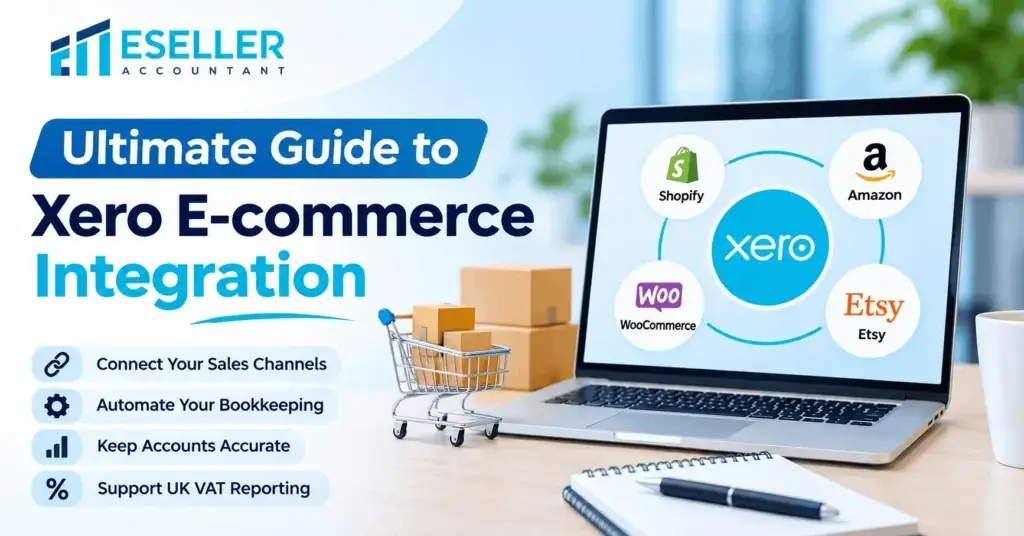
Xero E-commerce Integration helps connect your online sales platforms with your accounting software. Instead of entering every transaction manually, you can use connected applications to transfer sales information, record fees and support bank reconciliation.
Whether you sell through Shopify, Amazon, WooCommerce or multiple marketplaces, choosing the right integration can improve your financial reporting and reduce bookkeeping work.
This guide explains how Xero E-commerce Integration works, its main benefits, supported platforms, setup steps, common challenges and best practices for UK online sellers.
What Is Xero E-commerce Integration?
Xero E-commerce Integration is the process of connecting your online store, marketplace or payment platform with Xero accounting software.
The connection normally works through a dedicated integration application. Depending on the application, it can transfer sales totals, transaction fees, refunds, taxes and payment information into Xero.
For example, when a customer purchases a product from your Shopify store, a suitable integration can record the sale in Xero without requiring you to enter the transaction manually.
The exact information transferred depends on the application and its settings.
How Does Xero E-commerce Integration Work?
A typical integration follows this process:
- A customer places an order through your online store.
- The e-commerce platform records the sale and payment details.
- The integration collects the relevant transaction information.
- Sales, fees, refunds and tax amounts are transferred to the correct Xero accounts.
- Payments received through your bank are matched against the relevant sales or clearing account records.
- Your accountant reviews the transactions and checks for differences.
Some applications transfer individual orders, while others combine transactions into daily summaries.
For businesses processing hundreds of orders, daily summaries can help keep accounting records manageable.
Why E-commerce Businesses Should Integrate Xero
Connecting your sales channels to Xero offers several practical advantages.
1. Reduce Manual Data Entry
Manually entering sales transactions takes time, particularly when orders arrive through several platforms.
Xero E-commerce Integration can automate much of this work by transferring supported transaction data into your accounting system.
This allows your team to spend more time reviewing financial performance rather than copying information between systems.
2. Improve Accounting Accuracy
Manual bookkeeping can lead to missing transactions, duplicate entries and incorrect sales figures.
A properly configured integration reduces repeated data entry and helps maintain consistent records.
However, automated transactions still require regular checks. Incorrect tax settings or account mappings can produce errors even when information transfers successfully.
3. Simplify Bank Reconciliation
E-commerce businesses often receive combined payments from Shopify Payments, Amazon, PayPal or Stripe.
These deposits may be lower than the original sales totals because the payment provider deducts fees or adjusts refunds.
A suitable integration helps separate sales, fees and payment movements so the bank deposits can be reconciled correctly.
4. Support VAT Reporting
UK VAT-registered e-commerce businesses need accurate records of taxable sales, refunds and VAT amounts.
Xero can support VAT reporting when the integration uses the correct tax settings.
However, connecting your store does not automatically guarantee VAT compliance. You must still review tax treatments, including overseas sales, marketplace transactions and applicable VAT rules.
5. Improve Financial Visibility
When sales and payment information is recorded correctly, business owners can review:
- Revenue from online sales
- Platform and payment processing fees
- Operating expenses
- Gross profit and net profit
- Outstanding payments
- Cash flow and bank balances
This provides a clearer understanding of how the business is performing.
Popular E-commerce Platforms You Can Connect with Xero
Different platforms require different integration methods. Choosing the right application depends on your sales volume, payment providers and reporting requirements.
- Shopify and Xero Integration
Shopify sellers can connect their store to Xero using supported applications. Depending on the integration, sales, discounts, fees, refunds and payment information can be transferred into the accounting system.
Xero’s Shopify integration offers summarised or individual order syncing, with settings for account and tax mapping. Xero Central
- Amazon Seller Central and Xero Integration
Amazon sellers need to account for marketplace fees, refunds, settlement payments and potentially multiple currencies.
Specialist connectors can help import settlement information and allocate amounts to the appropriate accounts. Sellers should check that the connector supports their Amazon marketplaces and settlement types.
- WooCommerce and Xero Integration
WooCommerce stores can use compatible connectors to transfer order and accounting information into Xero.
Features vary by provider, so businesses should check how the application handles shipping, discounts, refunds, VAT and payment gateway fees.
- Etsy and Xero Integration
Etsy sellers can use Xero’s supported Etsy integration to sync daily sales and fees.
The integration uses an Etsy payment balance account to help record settlements and reconcile deposits. Xero Central
How to Set Up Xero E-commerce Integration: Step-by-Step Guide
Setting up Xero E-commerce Integration requires more than connecting two accounts. You must also ensure that transactions are recorded correctly.
Step 1: Review Your Existing Accounting Records
Before connecting your online store, review your current Xero accounts.
Check that your sales, expenses, bank accounts and tax settings are accurate.
If your business is moving from another accounting system, consider completing the migration before enabling automatic sales imports.
Professional Xero migration services can help businesses transfer their existing financial records and prepare their accounts for e-commerce integrations.
Step 2: Choose the Right Integration Application
Visit the Xero App Store and review applications that support your sales platform.
Compare their features carefully.
Important considerations include transaction limits, supported marketplaces, VAT mapping, refund handling, payment reconciliation and subscription costs.
Businesses selling through several marketplaces should also check whether the application supports all their sales channels.
Step 3: Connect Your Accounts
After selecting an integration application, follow the provider’s connection process.
Generally, you will need to:
- Sign in to your Xero account.
- Select the relevant application.
- Authorise access to the correct Xero organisation.
- Connect your online store or marketplace.
- Review the permissions and integration settings.
Xero requires appropriate user permissions to connect applications, and the exact setup varies by provider. Xero Central
Step 4: Configure Your Accounting Settings
Correct account mapping is essential.
You should identify where the integration will record:
- Product sales
- Shipping income
- Discounts and refunds
- Marketplace fees
- Payment processing charges
- VAT amounts
- Gift card liabilities
- Payment clearing balances
For example, payment processing fees should generally be recorded as expenses rather than deducted directly from reported sales.
Step 5: Review VAT Settings
UK e-commerce businesses must ensure their integration applies the correct VAT treatment.
Review whether transactions are domestic sales, exports, marketplace-facilitated sales or transactions subject to special VAT arrangements.
Also check how the integration handles VAT on refunds, shipping and platform fees.
Step 6: Test the Integration
Before importing large volumes of data, test a small group of transactions.
Include a normal sale, a refund, a discount and a payment with processing fees.
Compare the results in Xero against the original platform reports.
This helps identify incorrect mappings before they affect your wider accounting records.
Step 7: Activate Regular Data Syncing
Once the tests are successful, enable the appropriate syncing schedule.
Some integrations update daily, while others may operate more frequently.
Monitor the first few imports carefully and review any error notifications.
Understanding E-commerce Payment Reconciliation in Xero
Payment reconciliation is one of the most important parts of e-commerce accounting.
Online sellers frequently receive net settlements rather than the full amount customers paid.
Consider this example.
Example: Online store settlement
| Customer sales received | £1,000 |
| Payment processing fees | −£30 |
| Customer refunds | −£100 |
| Net bank deposit | £870 |
Illustrative amounts, before considering any other settlement adjustments. VAT treatment is not shown.
If you record only the £870 bank deposit as sales, your revenue and expenses may be incorrect.
Instead, your accounting records should reflect the original sales, refunds and processing fees separately.
A suitable integration can help achieve this by using a payment clearing account.
What Is a Clearing Account?
A clearing account is a temporary accounting account used to track money collected by a payment provider before it reaches your bank.
For example, Shopify Payments may collect customer payments and later transfer a combined settlement to your bank account.
The clearing account helps connect the original customer transactions with the eventual bank deposit.
Xero provides guidance on using clearing accounts for bulk online payments and recording merchant fees separately.
Xero E-commerce Integration and UK VAT Compliance
VAT is an important consideration for UK online retailers.
An integration may transfer VAT amounts into Xero, but those amounts are only reliable when the underlying tax settings and transaction classifications are correct.
Domestic UK Sales
For standard-rated goods sold in the UK, VAT is generally charged at 20%, although reduced or zero rates may apply depending on the product.
VAT-registered businesses should ensure their sales are recorded using the appropriate tax codes.
International E-commerce Sales
Selling to overseas customers can create additional VAT obligations.
The correct treatment depends on factors such as the destination country, customer type, location of the goods and marketplace arrangements.
Businesses should not assume that every overseas sale is automatically zero-rated.
Marketplace VAT Responsibilities
Certain online marketplaces may be responsible for collecting and accounting for VAT on qualifying transactions.
This does not remove the seller’s responsibility to maintain accurate accounting records.
Your integration must be configured to avoid recording VAT incorrectly or counting the same transaction twice.
Making Tax Digital
UK VAT-registered businesses are generally required to maintain digital VAT records and submit VAT returns using compatible software under Making Tax Digital.
Xero can support this process, but businesses must ensure the figures imported from their online stores are complete and accurate.
For official guidance, refer to HMRC’s Making Tax Digital for VAT guidance.
Common Xero E-commerce Integration Problems
Even well-designed integrations can experience accounting problems.
Understanding the most common issues helps businesses identify errors before they affect financial reports.
Duplicate Sales Transactions
Duplicate transactions may appear when multiple applications import the same sales information.
For example, one application might import Shopify orders while another imports the same sales through payment settlement records.
To prevent duplication, decide which application will be responsible for recording each transaction type.
Incorrect VAT Mapping
If VAT settings are configured incorrectly, transactions may be posted using the wrong tax codes.
This can affect VAT reports and require corrections.
Review tax mapping before activating the integration and after any significant changes to your sales operations.
Missing Marketplace Fees
Some applications import gross sales but do not automatically record every marketplace charge.
If fees are missing, profit figures may be overstated.
Compare Xero records against marketplace settlement statements regularly.
Unmatched Bank Deposits
Differences between bank deposits and accounting records may arise from refunds, fees, payment delays or missing transactions.
Review the relevant clearing account and settlement report to identify the cause.
Currency Conversion Differences
Businesses selling internationally may receive payments in currencies different from their accounting currency.
Exchange rates, conversion fees and settlement dates can create differences.
Make sure your integration supports the required currencies and that any exchange differences are recorded appropriately.
Best Practices for Managing Xero E-commerce Integration
A successful integration requires ongoing monitoring and regular bookkeeping reviews.
Review Transactions Regularly
Check imported transactions at least weekly, or more frequently if your business processes large sales volumes.
Compare platform reports with Xero records and investigate unusual differences.
Reconcile Payment Accounts
Review payment clearing accounts to identify missing settlements, duplicated entries and outstanding balances.
A clearing account may contain valid timing differences, but unexplained balances should be investigated.
Keep Integration Settings Updated
Review your integration whenever you add a new marketplace, change payment providers or introduce different product categories.
Tax settings should also be reviewed when your business expands into new countries.
Maintain Accurate Inventory Records
Sales integrations do not always provide complete inventory accounting.
Businesses holding stock may need additional inventory management software to track purchases, stock quantities and cost of goods sold.
Review Monthly Financial Reports
Use Xero to review revenue, expenses, profit and cash flow.
Regular financial reviews can help identify rising marketplace fees, falling margins and changes in business performance.
Choosing the Right Xero Integration for Your Business
Not every business needs the same integration solution.
A small Shopify store may only need basic sales and payment syncing. A business selling through Amazon, eBay and Shopify may require more detailed settlement accounting.
Consider your transaction volume, number of sales channels, VAT requirements, inventory needs and budget before choosing an application.
For example, Link My Books is one option for sellers who need marketplace sales and payout accounting.
eSeller Accounting provides a dedicated Link My Books integration service for businesses connecting supported e-commerce platforms with Xero.
The best solution is one that records your transactions correctly and provides the financial information your business needs.
Conclusion
Xero E-commerce Integration can make online business accounting more organised and efficient.
By connecting your sales platforms with Xero, you can reduce manual data entry, improve payment reconciliation, track expenses and maintain more consistent financial records.
However, the quality of your accounting depends on choosing the right integration and configuring it correctly.
Sales figures, refunds, fees, VAT and bank deposits must all be recorded using the appropriate accounts and tax settings.
For growing UK online retailers, a properly managed Xero integration provides a stronger foundation for accurate bookkeeping and informed financial decisions.
Get Expert Help with Xero E-commerce Integration
Managing accounting across Shopify, Amazon, WooCommerce and other sales channels can become complicated as your business grows.
At eSeller Accounting, we help online businesses connect their e-commerce platforms with Xero and maintain accurate financial records.
Our services include Xero setup, e-commerce integration, payment reconciliation, VAT accounting and ongoing bookkeeping support.
Whether you are connecting your first online store or managing multiple marketplaces, our specialists can help you choose and configure a suitable accounting solution.
Ready to improve your e-commerce accounting?
Book a Discovery Call with eSeller Accounting and speak with our team about your Xero integration requirements.